4.8Overall average
- Maths, average 5.2, 3 grades
- German, average 5.3, 4 grades
- English, average 4.6, 5 grades
- History, average 4.0, 3 grades
Grades & averages
Every grade with its weight, subject and class average.
The independent app for students, by students, in Switzerland. Grades with averages, absences, timetable and exams from Schulnetz and OdA Org in one place.
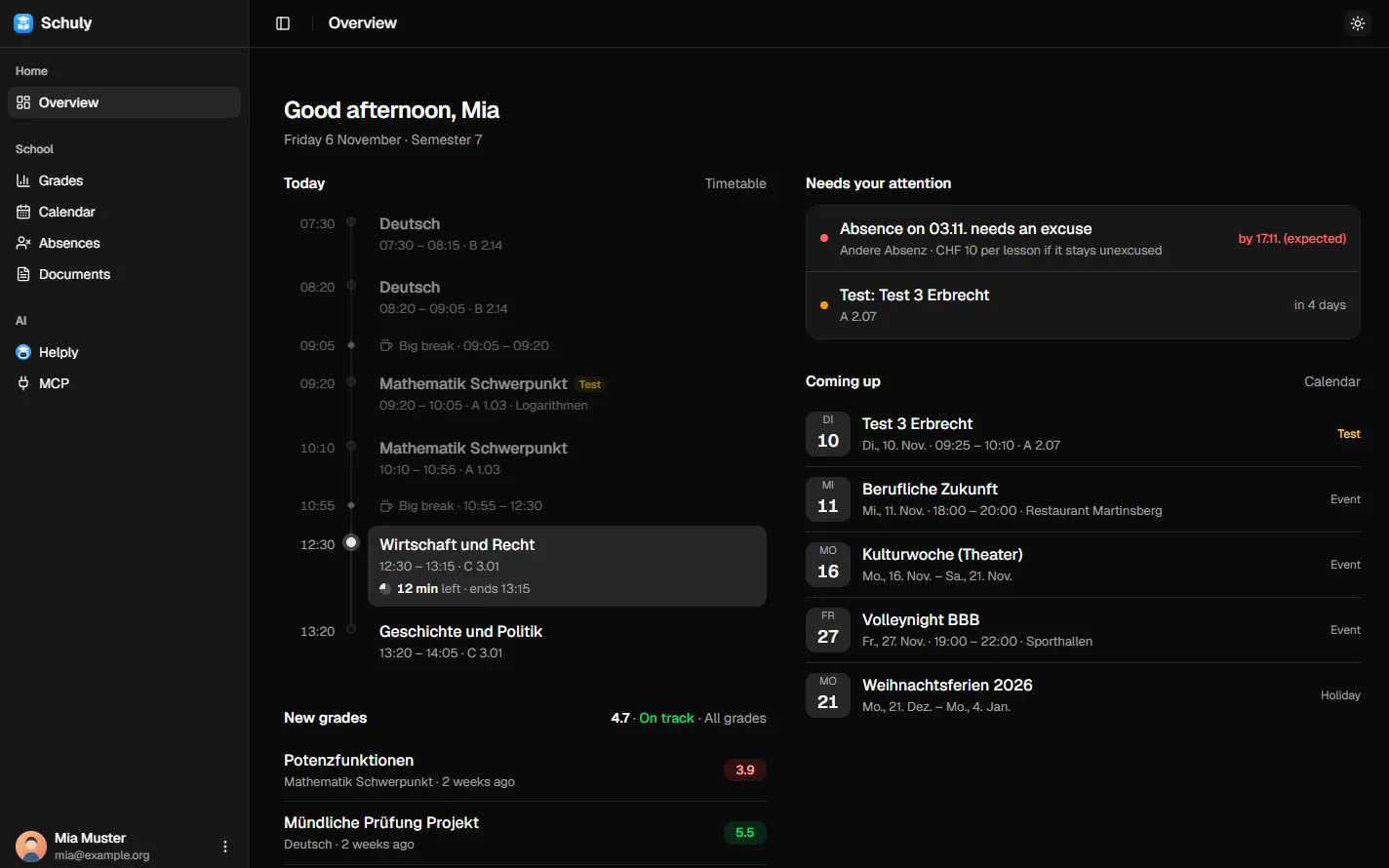
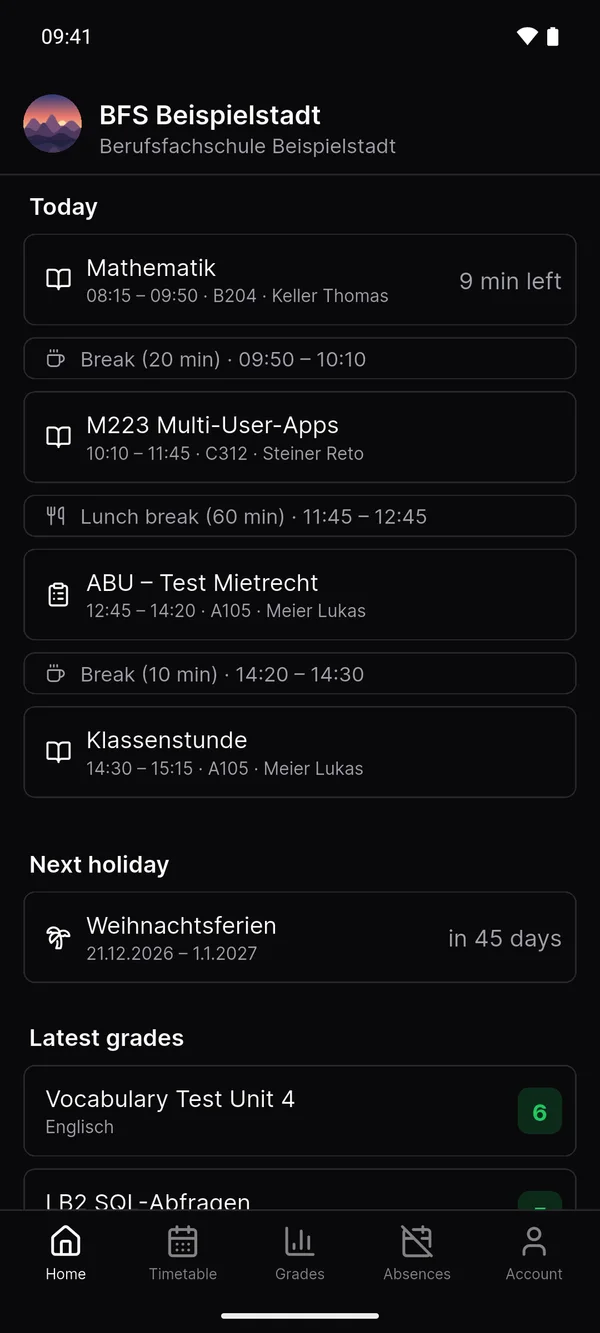
Fast, clear and focused on what matters, on your phone and in the browser.
4.8Overall average
Every grade with its weight, subject and class average.
Lessons, tests, absences and reports in one place.
Ask about exams, grades or your timetable.
Microsoft Outlook, Teams, OneDrive and OneNote right in Schuly.
New school systems arrive as plugins, no app update needed.
Several school accounts, kept apart.
Push for new grades and absences.
Clear and fast, light or dark.
On your phone or in the browser.
With an account you get everything: web app, push, Helply and Microsoft 365.
Schuly belongs to no school and no software vendor. You choose whether Schuly syncs for you or everything stays on your device.
Not affiliated with Centerboard AG, OdA Org, Microsoft or your school.
The app, backend, plugins and this website are on GitHub, so you can check what happens to your data.
Run your own backend and point the app at it under "Self-hosted".
$ git clone https://github.com/schulydev/SchulyServerCloning into 'SchulyServer'...Receiving objects: 100% (2841/2841), 1.92 MiB | 6.10 MiB/s, done.$ cd SchulyServer/deploy && cp .env.example .env$ docker compose -f compose.staging.yml up -d[+] Running 3/3✓ network Created✓ postgres Healthy✓ backend Started · http://localhost$ Schuly is built for everyday use. The information that matters is right where you expect it — no detours.


What Schuly is, what it isn't, and how it fits alongside the school system you already use.

Schuly is free, and its source code is public. Get the latest Android and iOS builds on GitHub; App Store and Google Play listings are coming soon.
The app uses the Schuly server by default. Want to run your own?
See the self-hosting guide.